Change Requests
Change Requests (for both feature and segments) are available only with our Scale-Up and Enterprise plans.
Feature Change Requests
Feature Change Requests help creating a four-eyes workflow (create, approve, publish) to updating feature flags, similarly to Pull Requests in GitHub.
Enable Feature Change Requests

- Go to the Environment Settings page.
- Enable the Feature Change Requests setting.
- Select the required number of approvals for each Change Request to be applied.
Create a Feature Change Request
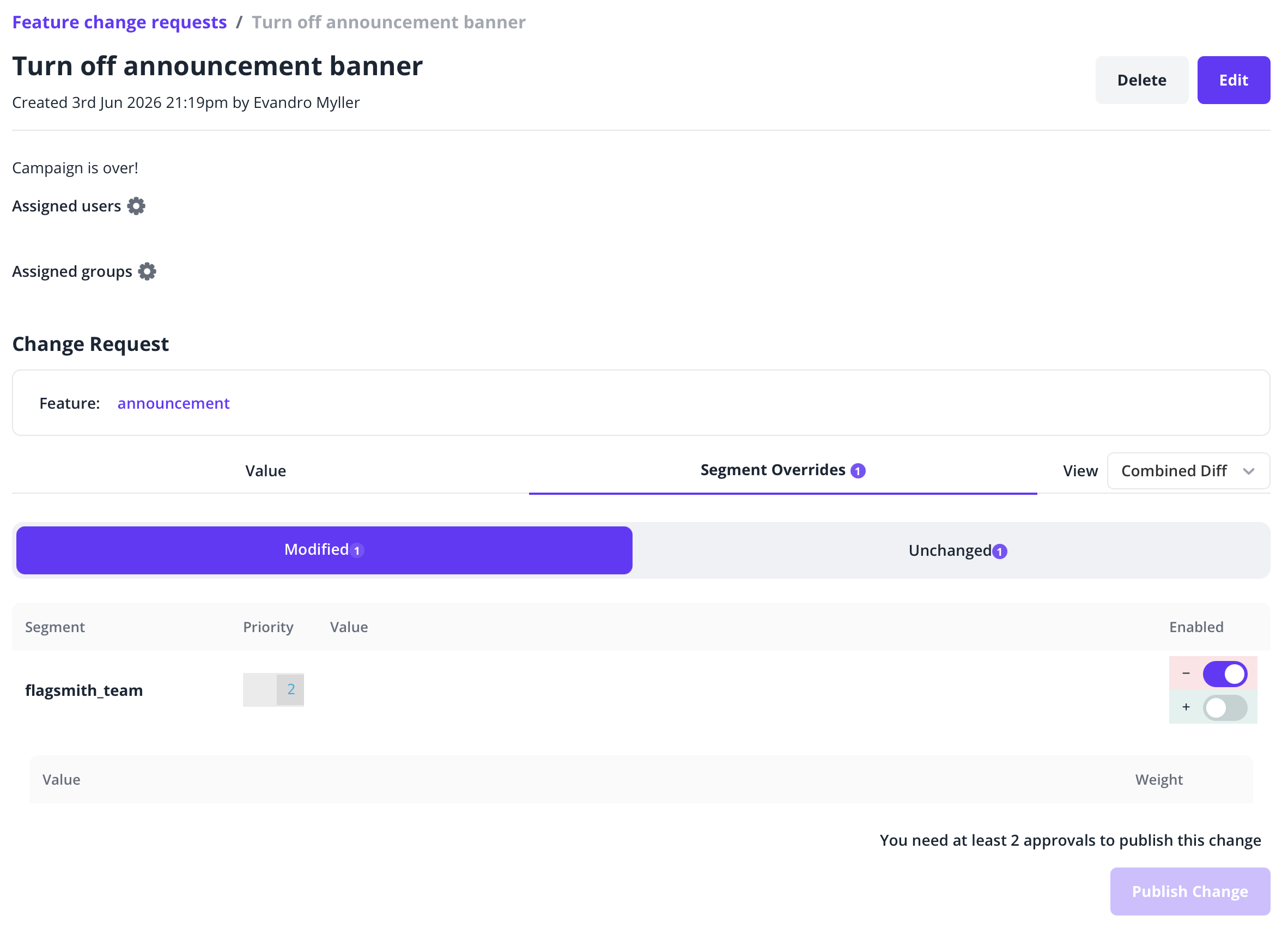
Once an environment is configured with Feature Change Requests enabled, a Change Request will be required when updating an environment default for a feature flag, or when creating or updating a segment override. Identity overrides are applied immediately.
When creating a Feature Change Request, you will need to provide it a title and, optionally, a description.
Approve a Feature Change Request
Change Requests awaiting approval are listed in the Environments tab:
- Click Feature Change Requests.
- Select a Change Request to review.
- Review the current and new Flag values.
- Click Approve to record your decision.
Publish a Feature Change Request
When the required number of approvals have been made, you will be able to publish the Feature Change Request.
Notifications
Flagsmith sends email notifications at the following points in the Change Request lifecycle:
| Event | Who is notified |
|---|---|
| A Change Request is assigned to an individual | The assignee receives an email informing them that their approval is pending |
| A Change Request is approved | The CR author receives an email confirming the approval |
| A Change Request is assigned to a group | All members of the group receive a notification via background task |
What does not trigger a notification:
- Committing a Change Request — no email is sent when a CR is published. Only audit log entries are created for the affected feature states.
- Rejecting a Change Request — there is no first-class rejection flow. Closing a CR means deleting it, and no email is sent on deletion.
Feature Change Request Permissions
| Action | Required permission |
|---|---|
| Create a Change Request | Create change request |
| Approve a Change Request | Approve change request |
| Publish a Change Request | Update feature state |
These permissions can be configured at both the project level and the environment level. For example, you might allow all developers to create change requests in Production, but only senior engineers to approve and publish them. See Role-based access control for details on configuring permissions.
Segment Change Requests
Segment Change Requests apply the same four-eyes workflow (create, approve, publish) to changes to a segment's definition — its rules and conditions. Because segments are defined once for the whole project and a single rule change can affect identities in multiple environments, these Change Requests are scoped to the project rather than to a single environment.
Enable Segment Change Requests
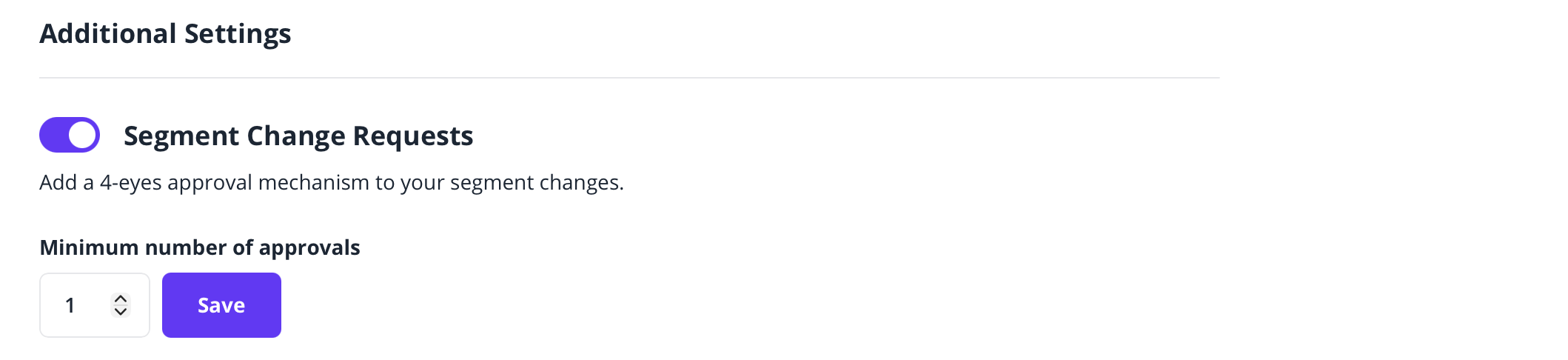
- Go to the Project Settings page.
- Enable the Segment Change Requests setting.
- Select the required number of approvals for each Change Request to be applied.
Create a Segment Change Request
Once a project is configured with Segment Change Requests enabled, editing an existing segment will require a Change Request to be submitted.
While creating a new segment (including rules and conditions) is not gated, a segment only affects identities once feature overrides are added to it. Adding segment overrides to a feature can be gated by Feature Change Requests.
When creating a Segment Change Request, you will need to provide it a title and, optionally, a description.
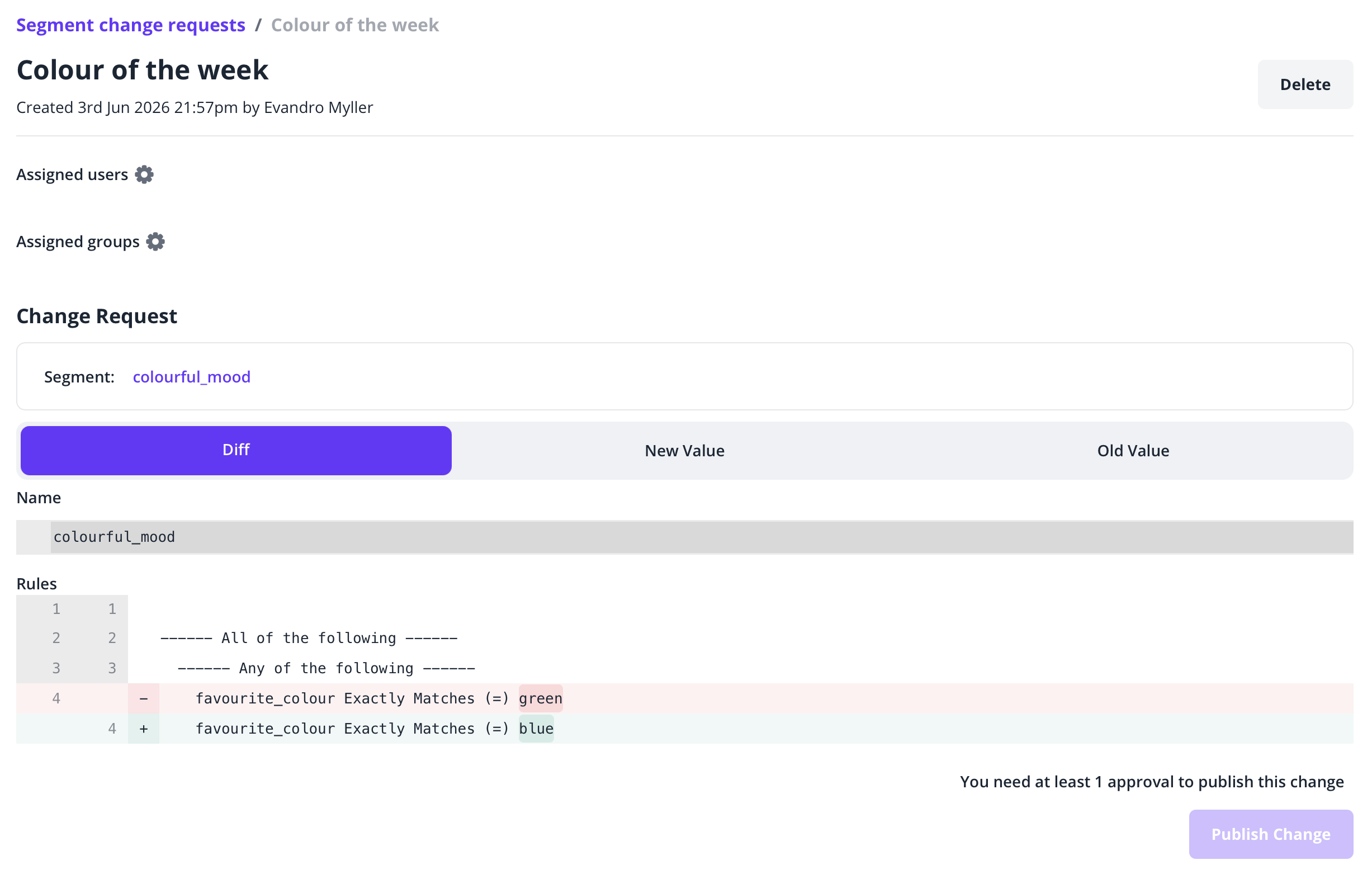
While a Change Request for a segment is open, your edits are held as a draft version of the segment. The live segment keeps its current rules, so flag evaluation is unaffected until the Change Request is published.
Approve a Segment Change Request
Segment Change Requests awaiting approval are listed under the Segment Change Requests tab.
- Select a Change Request to review.
- Review the proposed segment rules and conditions.
- Click Approve to record your decision.
Publish a Segment Change Request
When the required number of approvals have been made, you will be able to publish the Segment Change Request. On publish, Flagsmith takes a revision of the current live segment — preserving the previous rules for history — and then applies the proposed rules to the live segment.
Segment Change Request Permissions
Segment Change Requests use project-level permissions, which are separate from the environment-level permissions used by Feature Change Requests:
| Action | Required permission |
|---|---|
| Create a Change Request | Create project level change requests |
| Approve a Change Request | Approve project level change requests |
| Publish a Change Request | Manage segments and Manage project level change requests |
See Role-based access control for details on configuring permissions.